
Finding a supplier is only the beginning.
The more difficult part is making sure your Shopify store stays connected to that supplier after the products are imported.
Prices change.
Stock levels change.
New products become available.
Other products sell out.
Customers place orders.
Tracking numbers need to come back into Shopify.
Without a proper Shopify supplier integration, managing all of this manually can quickly become a full-time job.
A supplier integration connects Shopify with your supplier’s catalog or inventory system so product data can move between the two systems automatically.
Depending on the supplier and the type of integration, this can include:
- Product imports
- Product images
- Variants
- SKUs
- Inventory levels
- Wholesale prices
- Retail pricing
- Product descriptions
- Categories
- Order forwarding
- Fulfillment updates
- Tracking numbers
In this guide, we’ll explain how Shopify supplier integrations work, the different ways they can be built and what ecommerce businesses should consider before connecting a supplier to their store.
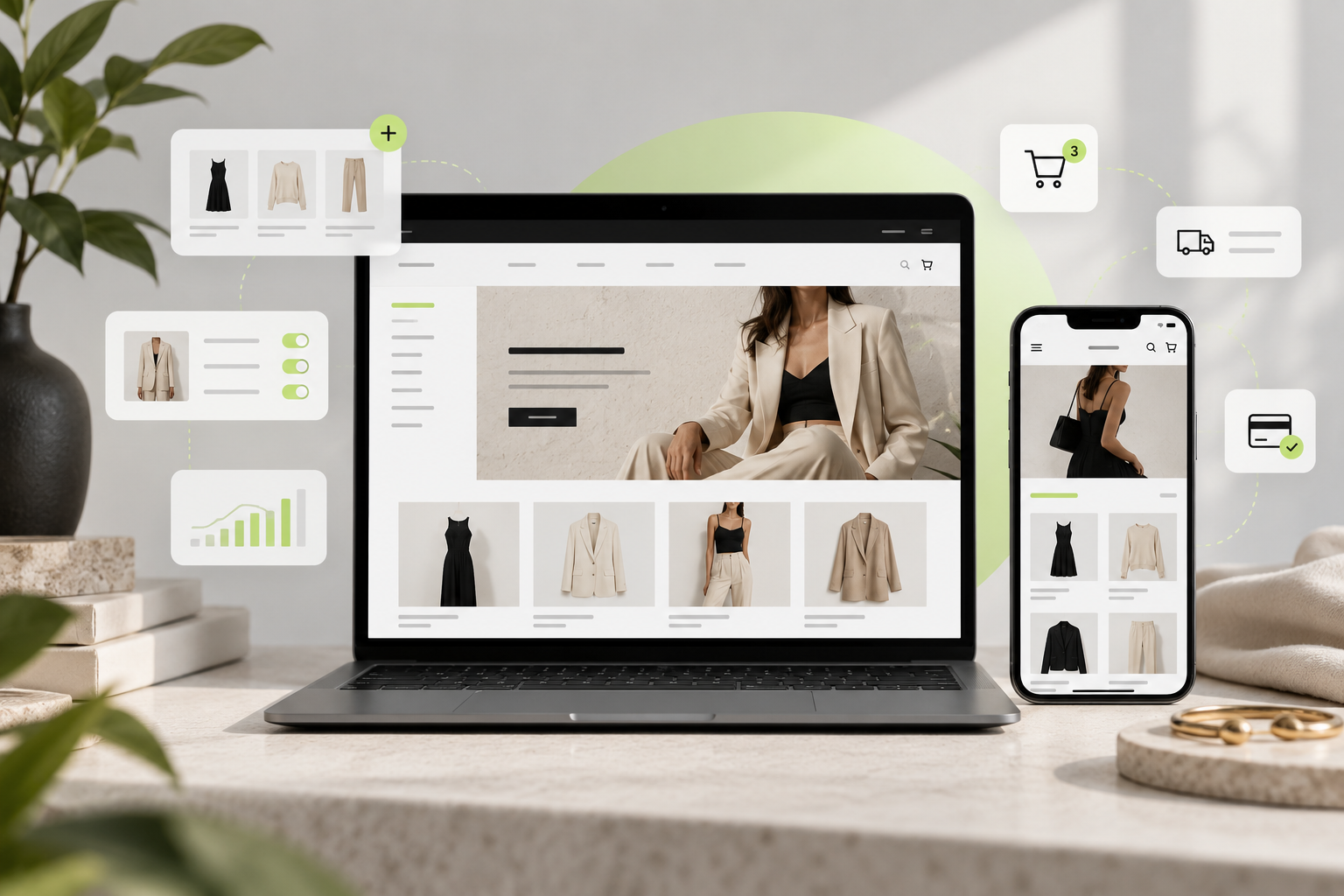
IMAGE: Hero
Suggested visual: Shopify storefront in the center connected to a supplier warehouse, product feed, inventory system and shipping provider.
Alt text: Shopify supplier integration connecting products, inventory and orders
What Is a Shopify Supplier Integration?
A Shopify supplier integration creates a connection between your Shopify store and an external supplier.
Instead of manually copying products from the supplier’s website into Shopify, the integration transfers product information automatically.
A simple integration might only import:
Supplier → Shopify
- Product title
- Description
- Price
- Images
- Variants
- SKU
- Inventory
A more advanced integration can work in both directions:
Supplier → Shopify
Products
Inventory
Prices
Shopify → Supplier
Orders
Customer shipping details
Selected products
Supplier → Shopify
Fulfillment status
Tracking number
This creates a much more automated ecommerce workflow.
Why Supplier Integration Matters
Imagine you have 25 products.
Updating inventory manually may still be manageable.
Now imagine you have:
5,000 products.
Every product may also have:
- 4 sizes
- 3 colors
- Multiple stock quantities
- Changing wholesale prices
You could easily have tens of thousands of variants.
At that point, manually maintaining the catalog becomes unrealistic.
A proper supplier integration reduces repetitive work and helps keep Shopify aligned with the supplier’s current data.
The objective is simple:
Keep Shopify synchronized with the supplier without requiring someone to manually update everything every day.
What Can Be Synced Between a Supplier and Shopify?
Different suppliers provide different information.
A typical product feed may contain fields such as:
| Supplier Data | Shopify Data |
|---|---|
| Product ID | SKU / Metafield |
| Product Name | Product Title |
| Description | Product Description |
| Brand | Vendor |
| Category | Product Type / Collection |
| Wholesale Price | Cost |
| Retail Price | Price |
| Stock | Inventory |
| Color | Variant |
| Size | Variant |
| Image URLs | Product Images |
| EAN / Barcode | Barcode |
| Material | Metafield |
| Gender | Metafield / Tag |
The integration then maps one system’s structure into Shopify’s structure.
This process is often called data mapping.
1. Product Import
The first stage of most supplier integrations is importing products.
The supplier might provide its catalog through:
- CSV
- XML
- JSON feed
- REST API
- GraphQL API
- FTP/SFTP
- Supplier app
- ERP system
The integration reads the supplier’s data and creates Shopify products from it.
For example:
Supplier product
Product Name: Leather Shoulder Bag
SKU: BG-34892
Brand: Example Brand
Color: Black
Price: €340
Stock: 7
The integration may create:
Shopify Product
Title: Leather Shoulder Bag
Vendor: Example Brand
SKU: BG-34892
Color: Black
Price: €499
Inventory: 7
The important part is defining how supplier data should translate into your store.
2. Inventory Synchronization
Inventory synchronization is one of the most important parts of any supplier integration.
If the supplier has:
4 units available
your Shopify store should not show:
12 units available.
Otherwise, you risk selling products that the supplier can no longer fulfill.
Shopify tracks inventory quantities at locations, and inventory can be updated through Shopify’s inventory systems and APIs.
For smaller catalogs, Shopify also supports bulk inventory updates through CSV files.
For automated supplier integrations, inventory updates are normally processed programmatically.
Example
At 10:00 AM:
Supplier stock:
SKU BG-1001 → 8
Shopify:
8 available
Later, another retailer using the same supplier sells six units.
Supplier inventory becomes:
2
The next synchronization updates Shopify:
8 → 2
Without inventory synchronization, your store may continue selling unavailable products.
How Often Should Inventory Sync?
There is no single answer.
It depends on:
- Supplier capabilities
- Catalog size
- Order volume
- API limits
- How quickly supplier stock changes
Common schedules include:
Every 24 hours
Suitable for slower-moving catalogs.
Every few hours
Useful for medium-volume stores.
Every 15–60 minutes
Better for suppliers with rapidly changing stock.
Near real-time
Possible when supplier APIs or event systems support it.
The faster inventory changes, the more important frequent synchronization becomes.
3. Price Synchronization
Supplier prices can also change.
For example:
Yesterday:
Wholesale cost: €100
Today:
Wholesale cost: €115
If your Shopify price remains unchanged, your profit margin changes.
A supplier integration can detect the new cost and recalculate the selling price.
Simple pricing formula
Supplier cost:
€100
Markup:
50%
Shopify price:
€150
Or you might use:
Supplier Price × 1.6
€100 × 1.6 = €160
More advanced stores may use different pricing rules depending on:
- Brand
- Product type
- Supplier
- Cost range
- Country
- Collection
- Margin target
4. Product Updates
A supplier integration does not necessarily stop after the initial import.
Supplier information may change later.
For example:
- Description updated
- New image added
- Product renamed
- Material changed
- New size added
- Variant removed
- Product discontinued
The integration needs rules that decide what should happen.
This is extremely important.
You usually do not want every supplier field overwriting Shopify automatically.
Decide Which System Controls Each Field
One of the most important integration decisions is defining the source of truth.
For example:
| Field | Source of Truth |
|---|---|
| Inventory | Supplier |
| Wholesale Cost | Supplier |
| SKU | Supplier |
| Product Images | Supplier |
| Product Title | Shopify |
| SEO Title | Shopify |
| Description | Shopify |
| Retail Price | Pricing Rule |
| Collections | Shopify |
| Meta Description | Shopify |
Why?
Because your marketing team may improve a supplier’s basic product description.
If the supplier synchronization runs later and overwrites the Shopify description, all that work disappears.
A good integration should clearly define:
What the supplier controls
and
What Shopify controls.
5. Variant Mapping
Fashion supplier integrations become more complicated because products often contain many variants.
For example:
Product: Linen Shirt
Colors:
- White
- Beige
- Black
Sizes:
- S
- M
- L
- XL
That creates:
12 variants.
Each variant may have a different:
- SKU
- Barcode
- Inventory quantity
- Supplier ID
The integration needs to match each supplier variant with the correct Shopify variant.
Usually, this is done using a stable identifier such as:
- SKU
- EAN
- Barcode
- Supplier Variant ID
Using product names alone is risky because product names can change.
6. Automatic Collection Mapping
Supplier categories rarely match the exact structure you want customers to see.
For example, a supplier might send:
WOMEN > CLOTHING > DRESS > LONG
But your Shopify navigation uses:
Women → Dresses → Maxi Dresses
The integration can map supplier categories to your Shopify structure.
For example:
DRESS_LONG
becomes:
Maxi Dresses
You can also use product data such as:
- Brand
- Gender
- Material
- Category
- Color
- Product type
to automatically organize products into collections.
This becomes particularly important when working with thousands of products.
7. Product Metafields
Supplier feeds often contain valuable information that doesn’t belong inside the standard Shopify product fields.
For example:
- Material
- Country of origin
- Heel height
- Fit
- Season
- Designer
- Pattern
- Fabric
- Model number
These can be stored in Shopify metafields.
For a fashion store, you might create:
custom.material
custom.fit
custom.gender
custom.season
custom.supplier_id
custom.country_of_origin
This creates much cleaner product data and gives you more flexibility when building filters and product templates.
8. Order Synchronization
Supplier integration can also happen in the opposite direction.
Instead of:
Supplier → Shopify
an order integration sends information:
Shopify → Supplier
Imagine a customer purchases:
Designer Handbag – SKU BG-5821
Shopify receives the order.
The integration can automatically send:
- SKU
- Quantity
- Customer name
- Shipping address
- Phone number
- Shipping method
to the supplier.
The supplier can then fulfill the order.
This is especially useful for dropshipping operations.
Example Automated Order Flow
The process might look like this:
1. Customer places order
↓
2. Shopify confirms payment
↓
3. Integration identifies supplier products
↓
4. Order is sent to supplier
↓
5. Supplier confirms order
↓
6. Supplier ships package
↓
7. Supplier returns tracking number
↓
8. Shopify order is marked fulfilled
↓
9. Customer receives shipping notification
This can remove a significant amount of manual work.
9. Tracking and Fulfillment Synchronization
Once the supplier dispatches an order, the supplier may return:
- Carrier
- Tracking number
- Shipment status
- Fulfillment date
The integration can add those details to the corresponding Shopify order.
The customer then receives the normal Shopify shipping notification.
For integrations that need to react when something changes inside Shopify, Shopify supports webhooks.
Webhooks allow an application to receive event notifications instead of repeatedly checking Shopify for updates. Shopify specifically describes webhooks as useful for synchronizing data and reacting to events such as inventory, orders, returns and other changes.
Different Ways to Integrate a Supplier With Shopify
There are several approaches.
The correct option depends on the supplier.
Option 1: Manual CSV Import
The simplest approach is:
Supplier CSV → Shopify CSV → Import
This works well when:
- Catalog is relatively small
- Supplier changes rarely
- Inventory doesn’t need frequent synchronization
- You’re testing a supplier
Advantages
- Simple
- Low development cost
- Fast initial setup
Disadvantages
- Manual updates
- Inventory may become outdated
- Product changes need re-importing
- Difficult for large catalogs
CSV imports are useful for initial product migrations, but they are usually not a complete long-term supplier integration.
Option 2: Automated Product Feed
Some suppliers provide:
- CSV URL
- XML feed
- JSON feed
The integration downloads the file periodically and processes updates.
For example:
Every hour
- Download supplier XML
- Read products
- Match SKUs
- Check inventory
- Check price
- Update Shopify
This is a common solution when a supplier doesn’t provide a full API.
Option 3: Shopify Supplier App
Some suppliers already have an app that connects directly to Shopify.
You install the app, authorize access and configure which products to import.
This can be the simplest solution.
However, always investigate:
- How frequently stock updates
- Whether prices can be customized
- How collections are handled
- Whether descriptions can be edited safely
- How orders are forwarded
- What happens when products disappear
- Whether the app supports your markets
A supplier app may be convenient, but it might not support the exact catalog architecture your store needs.
Option 4: Third-Party Sync App
Another option is using a general inventory or feed synchronization application.
Shopify Flow, for example, can connect Shopify workflows with third-party apps using triggers, conditions and actions, while compatible apps can expose additional Flow connectors.
There are also apps designed specifically to import product or inventory information from feeds.
This can work well when the requirements are relatively standard.
Option 5: Custom API Integration
For more advanced stores, a custom integration is often the most flexible solution.
The architecture may look like:
Supplier API
↓
Custom Integration
↓
Shopify Admin API
The middleware handles:
- Authentication
- Product mapping
- Inventory
- Pricing
- Variants
- Images
- Collections
- Metafields
- Orders
- Fulfillment
- Errors
- Logging
For new Shopify public apps, development should use Shopify’s GraphQL Admin API; Shopify’s REST Admin API has been classified as legacy, and new public apps have been required to use GraphQL since April 2025.
A custom API integration is usually appropriate when you need precise control over how supplier data enters Shopify.
Example Supplier Integration Architecture
IMAGE SUGGESTION
Create a diagram:
SUPPLIER
Products
Inventory
Prices
Images
↓
INTEGRATION LAYER
Mapping
Pricing Rules
Category Rules
Data Validation
↓
SHOPIFY
Products
Collections
Inventory
Metafields
↓
CUSTOMER ORDER
↓
INTEGRATION
↓
SUPPLIER
Fulfillment
Tracking
Alt text: Shopify supplier API integration workflow diagram
Why an Integration Layer Is Useful
Connecting the supplier directly to Shopify sounds simpler.
But an integration layer gives you much more control.
For example, the supplier sends:
Category: WOM_SHOES_SNK
Your integration translates this into:
Women → Shoes → Sneakers
The supplier sends:
Wholesale: €120
Your pricing rule calculates:
€120 × 1.7 = €204
Your rule rounds that to:
€205
Then the product arrives in Shopify correctly formatted.
The integration layer essentially translates supplier data into the structure your ecommerce store requires.
How Do Shopify APIs Fit Into Supplier Integrations?
Custom integrations usually communicate with Shopify programmatically.
The integration might tell Shopify:
Create this product.
Update this variant.
Change this inventory quantity.
Add this metafield.
Read this order.
Shopify’s inventory model links inventory items with specific Shopify locations using inventory levels.
For near-real-time workflows, Shopify webhooks can alert an integration when supported events occur rather than requiring constant polling.
Together, APIs and webhooks provide the foundation for many advanced integrations.
Scheduled Sync vs Real-Time Sync
There are two common synchronization strategies.
Scheduled Synchronization
Run the integration every:
- 15 minutes
- 30 minutes
- Hour
- 6 hours
- 24 hours
This approach is relatively simple and works well for many stores.
Event-Based Synchronization
An event triggers the update immediately.
For example:
Supplier inventory changes.
↓
Supplier sends webhook.
↓
Integration receives event.
↓
Shopify inventory updates.
This can produce much faster synchronization but requires the supplier to support event-based integrations.
What Happens When Supplier Stock Reaches Zero?
This needs to be planned before launch.
Possible options include:
Keep Product Published
Product remains visible but displays:
Sold Out
Good for SEO and products likely to return.
Hide Product
Automatically remove the product from the online store.
Useful when the supplier permanently removes products.
Keep Product but Remove Unavailable Variant
Useful when only certain sizes are unavailable.
For example:
S — Available
M — Sold Out
L — Available
Usually, completely deleting supplier products whenever stock reaches zero is not ideal.
The product may return tomorrow.
What Happens When a Supplier Deletes a Product?
Your integration should distinguish between:
Temporary out of stock
and
Discontinued.
These are not the same.
If a discontinued product disappears from Shopify immediately, existing links from:
- Social media
- Blogs
- Ads
- Customer wishlists
may suddenly return a 404 page.
A better approach may be to archive the product and create an appropriate redirect.
Supplier Integration and SEO
This is an area many stores overlook.
Imagine 50 retailers use the same supplier.
The supplier provides:
The same product title.
The same description.
The same images.
Every retailer imports that data unchanged.
You now have dozens of nearly identical product pages across the internet.
Supplier integration should therefore separate:
Operational data
from
marketing data.
Operational supplier-controlled fields:
- SKU
- Barcode
- Inventory
- Cost
Marketing fields:
- Product title
- Description
- SEO title
- Meta description
- Editorial content
These should often remain editable inside Shopify.
Supplier Image Management
Supplier images can also create challenges.
Common issues include:
- Low-resolution images
- Inconsistent aspect ratios
- Missing images
- Duplicate images
- Supplier watermarks
- Different background colors
Your import process can apply rules such as:
- Import maximum 8 images
- Skip duplicate URLs
- Require minimum resolution
- Keep first image as featured
- Maintain original image order
For premium fashion stores, you may also combine supplier imagery with your own campaign photography.
Working With Multiple Suppliers
Things become even more interesting when one Shopify store works with several suppliers.
For example:
Supplier A
5,000 fashion products
Supplier B
2,000 accessories
Supplier C
1,500 shoes
Now the integration needs to know which supplier owns each product.
A useful setup is storing:
Supplier
Supplier Product ID
Supplier Variant ID
inside Shopify.
When an order arrives, the integration can determine:
Product 1 → Supplier A
Product 2 → Supplier C
and route each part of the order correctly.
Preventing Overselling
Overselling is one of the biggest risks in supplier-based ecommerce.
It usually happens because:
- Supplier has 1 unit.
- Shopify displays 1 unit.
- Another retailer sells that unit.
- Supplier now has 0.
- Your Shopify store hasn’t synchronized yet.
- Your customer purchases the product.
Now you have an order you cannot fulfill.
One possible strategy is creating a stock buffer.
Supplier:
5 units
Shopify displays:
3 units
Supplier:
2 units
Shopify displays:
0
This reduces the risk of selling the supplier’s last units.
Error Handling Is Extremely Important
A good integration should not assume everything always works.
Things fail.
APIs can temporarily go offline.
Images may return errors.
Supplier feeds may contain malformed information.
SKUs may be duplicated.
The integration should record errors such as:
SKU 48392 could not update: missing variant ID
instead of silently failing.
For larger integrations, we normally recommend:
- Logging
- Automatic retries
- Error reports
- Sync history
- Failed product reports
- Notifications for critical failures
This makes troubleshooting dramatically easier.
Shopify Supplier Integration Checklist
Before connecting any supplier, confirm:
Supplier
- Do they provide an API?
- Do they provide XML or CSV feeds?
- How often does inventory update?
- Do they support order forwarding?
- Do they return tracking numbers?
- Do they provide stable SKUs?
- Are images supplied as URLs?
Products
- How should titles be formatted?
- Which descriptions should be imported?
- Which images should be imported?
- How should categories map?
- How should variants map?
- Which metafields are needed?
Pricing
- Import supplier retail price?
- Use markup?
- Use margin?
- Different rules by brand?
- Automatic sale pricing?
Inventory
- How often should stock sync?
- Should there be a stock buffer?
- What happens at zero inventory?
- How are discontinued products handled?
Orders
- Are orders automatically sent?
- What customer data does the supplier need?
- Who purchases shipping?
- How is tracking returned?
- How are canceled orders handled?
Shopify
- Collections
- Navigation
- Product filters
- SEO
- Metafields
- Markets
- Currencies
Define these rules before starting development.
Common Supplier Integration Mistakes
Importing Everything Without Filtering
A supplier might have 40,000 products.
That does not mean you need all 40,000.
A curated catalog can often produce a better shopping experience.
Using Supplier Categories Directly
Supplier categories are usually designed for warehouse management, not customer navigation.
Overwriting Custom Content
Never allow a sync to accidentally replace optimized descriptions or SEO content.
Synchronizing Too Slowly
For fast-moving inventory, a daily update may not be enough.
Ignoring Failed Synchronizations
Always monitor errors.
Using Product Titles as Identifiers
Use stable IDs or SKUs instead.
How Long Does a Shopify Supplier Integration Take?
It depends heavily on the supplier.
A simple feed import can be relatively straightforward.
A complete integration may involve:
- Product import
- Inventory synchronization
- Price synchronization
- Category mapping
- Metafields
- Variant mapping
- Automatic orders
- Tracking synchronization
- Error reporting
The biggest factor is usually not Shopify.
It is the quality of the supplier’s system and documentation.
A clean, well-documented supplier API makes development much easier.
An inconsistent XML feed with missing identifiers can require significantly more processing logic.
Do You Need a Custom Supplier Integration?
Not always.
Use a supplier’s existing Shopify app when:
- It already does everything you need
- Catalog structure is simple
- Pricing rules are simple
- You don’t need advanced customization
Consider a custom integration when:
- You have thousands of products
- You need custom category mapping
- You need custom pricing rules
- Multiple suppliers are involved
- Supplier data needs cleaning
- Inventory must update frequently
- Orders need automatic routing
- You need control over which Shopify fields are updated
- You want custom error monitoring
The purpose of custom development isn’t to make the system more complicated.
It is to automate complexity that would otherwise need to be managed manually.
Shopify Supplier Integration Example
Imagine an online luxury fashion store using a supplier with 15,000 products.
The supplier provides:
- API
- Product catalog
- Inventory
- Wholesale prices
- Images
- Brand information
- Orders
- Tracking
A possible setup would be:
Step 1
Import only selected brands.
Step 2
Convert supplier categories into Shopify collections.
Step 3
Map attributes such as material, gender and color into metafields.
Step 4
Apply custom markup rules based on brand and cost.
Step 5
Synchronize inventory every hour.
Step 6
Automatically archive discontinued products.
Step 7
Send paid Shopify orders to the supplier.
Step 8
Retrieve tracking details.
Step 9
Automatically fulfill Shopify orders.
Once configured properly, a catalog containing thousands of products can operate with dramatically less manual administration.
Final Thoughts
A Shopify supplier integration is not simply about importing products.
A proper integration connects the operational parts of ecommerce:
Products
↓
Inventory
↓
Pricing
↓
Orders
↓
Fulfillment
↓
Tracking
When those systems communicate correctly, you can manage a significantly larger catalog without increasing manual work at the same rate.
The most important part is defining clear rules before connecting anything.
Know:
- Which data comes from the supplier
- Which information Shopify controls
- How frequently data should update
- How products should be organized
- How pricing should work
- What happens when errors occur
That turns a supplier feed into an actual ecommerce system.
Need Help Integrating a Supplier With Shopify?
At Lemon.dev, we build Shopify supplier integrations for ecommerce and fashion businesses.
We can help with:
- Supplier API integrations
- XML and CSV feeds
- Automated product imports
- Inventory synchronization
- Pricing synchronization
- Variant mapping
- Product metafields
- Collection mapping
- Large catalog imports
- Multi-supplier stores
- Order automation
- Tracking synchronization
- Dropshipping integrations
- Custom Shopify development
We also work with fashion and luxury suppliers such as BrandsGateway and other wholesale product feeds, helping merchants turn supplier data into a properly structured Shopify storefront.
Whether you’re importing 100 products or managing tens of thousands, the objective is the same:
Build a system that keeps the supplier and Shopify synchronized while giving you complete control over your storefront.